
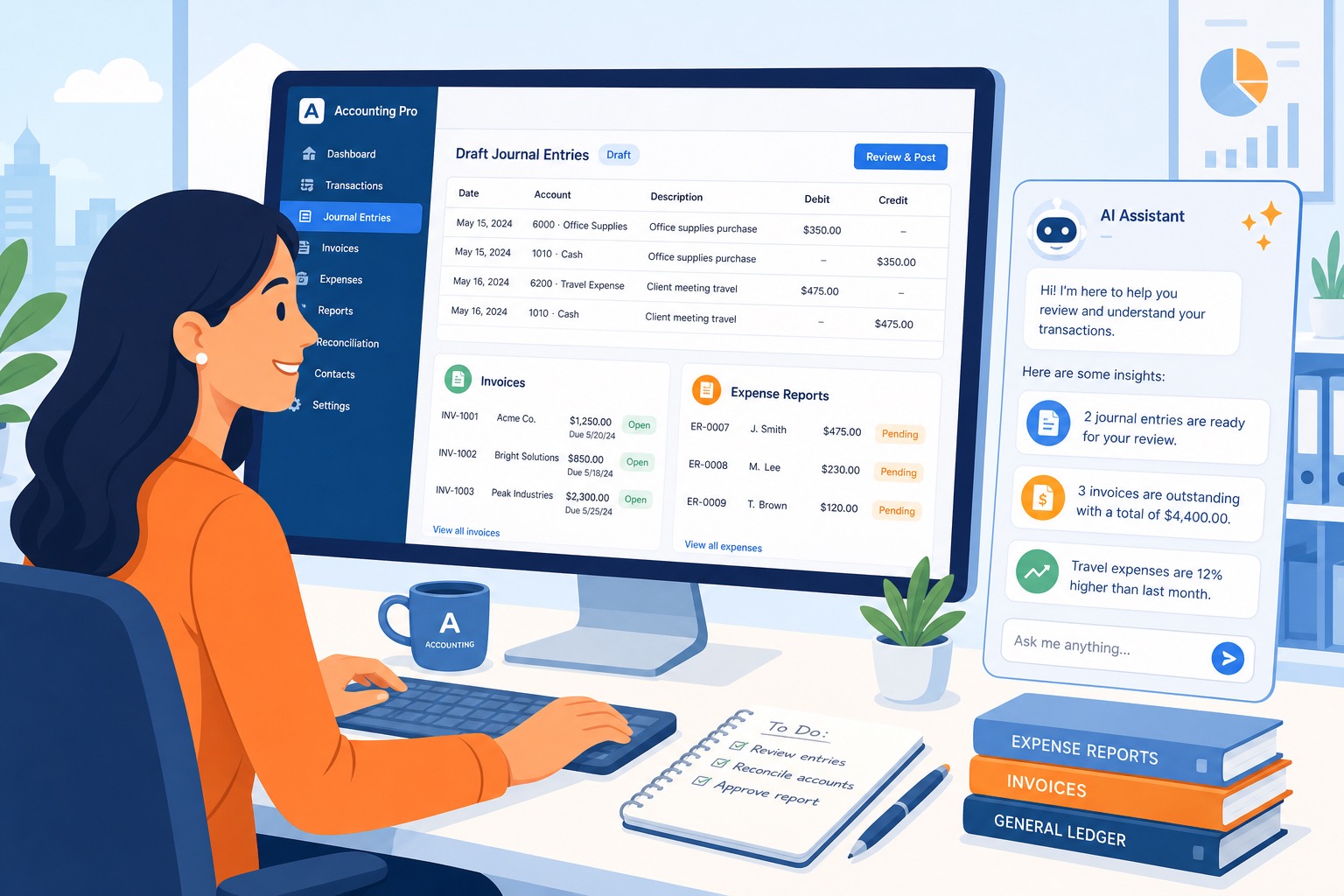
To put the conclusion up front: accounting work is easy to hand to AI up to a point — drafting journal entry data from receipts and invoices, organizing expense report memos, preparing invoice-to-payment reconciliation, and fielding first-line questions from staff about the accounting rules — while final journal entry approval, sign-off on tax and closing, cash-flow judgment, and actually processing payments such as bank transfers are tasks that belong to people (and specialists like tax accountants).
Accounting is an area heavy on “checking and manual entry”: the daily pile of receipts, fine-grained account category judgments, and compliance checks on the expense reports employees submit.
With no room for mistakes and the workload bunching up right before the closing date, chances are you’ve felt drained by it at times.
This article walks through a realistic line between what to delegate to AI in accounting, and a step-by-step way to introduce it without burdening your team.
The Bottom Line: A Task-Split Table for Accounting AI
If you break accounting work down task by task, the range you can hand to AI sorts out like this:
| Task | Easy to Delegate to AI? | What a Human (or Tax Accountant) Should Check |
|---|---|---|
| Drafting journal entries from receipts and invoices | ◎ Easy to delegate | Whether account categories are appropriate, tax categories (10%, 8%, tax-exempt, out of scope), and reconfirming amounts |
| Pre-checking expense reports (first-pass rule review) | ◎ Easy to delegate | Missing receipt attachments, mismatches between claimed and receipt amounts, violations of rules (e.g. entertainment expense caps) |
| Matching invoices against payment records (reconciliation prep) | ○ Easy to delegate | Matching payer names against invoiced customers, confirming amounts, investigating causes of discrepancies |
| Organizing payment-verification lists | ○ Easy to delegate | Cross-checking bank accounts, amounts, and due dates against source data |
| First-line responses to internal questions about accounting rules | ○ Easy to delegate | Guidance on travel expense rules and entertainment caps; first point of contact for application procedures |
| Final journal entry approval | × Don’t delegate | The company’s official accounting records are judged and finalized by people |
| Tax judgment, closing approval, cash-flow planning | × Don’t delegate | Legal tax interpretation and financial strategy belong to people (or a tax accountant) |
| Actual payment processing (bank transfers, tax payments) | × Don’t delegate | Actual fund movements are handled by people, for security and accountability |
The single biggest key to using accounting AI well is the division of roles: not “hand the accounting to AI,” but “have AI arrange everything so humans can do the final check easily.”
By leaving data organization, first-pass checks, and other preparation to AI, the accountant can concentrate on what matters most — confirming amounts and terms and judging how the company’s money should move.
Mapping Accounting’s Time Sinks and Pain Points
Accounting runs a long chain of tasks, from recording daily transactions through invoicing, payments, expense settlement, and monthly and annual closing.
In practice, the following tasks stack up and eat into your hours:
- Collecting receipts and invoices submitted by employees and checking them for problems
- Picking the right account category — travel, entertainment, supplies — and keying journal entries in by hand
- Checking employee expense reports against company accounting rules (travel expense caps, and so on)
- Managing receivables and payables, and matching bank deposit records against invoice amounts (reconciliation)
- Answering one-off internal questions like “can we book this expense?” or “how do I file this?”
- Running the totals needed at closing and preparing materials for the tax accountant
Of these, the biggest time consumers — and the steps where missed checks and entry mistakes are most likely — are manual data entry and checking documents for defects.
To catch small slips — a receipt amount off by one yen from the claim, a missing receipt on an “entertainment” claim, an entry booked to an unusual account category — accountants repeat an enormous amount of visual checking.
What AI is good at is reading large volumes of text and image data, sorting them against preset rules, and pulling out the mismatches.
Because so much of accounting follows clear rules, handing the first-pass review and data organization to AI can sharply cut the burden of this checking work.
On the other hand, AI doesn’t autonomously grasp context like “was this spending really necessary for the business,” the latest legal reading of tax rules, or the specifics of individual contracts.
So the operating rule to hold firm is: AI handles the preparation and the checklists; people make the final calls and enter the records in your accounting software.
Five Everyday Accounting Situations Where AI Helps
Drafting Journal Entries from Receipts and Invoices
It works extremely well to have AI pull out the right account categories, amounts, and counterparties from handwritten receipts or PDF invoices and draft the journal entry data.
Hand the AI images of receipts or invoices — or text captured with OCR (character recognition) — and have it shape the data into journal entry form.
- What you give the AI: receipt or invoice images (or transcribed text), plus your own account category rules
- What comes out: a draft list of debit accounts, credit accounts, amounts, counterparty names, descriptions, and tax categories
If you use a general-purpose AI like ChatGPT, a prompt along these lines works:
You are a capable accounting assistant for our company.
Read the receipt text below and draft the journal entry data in the specified format.

# Format
| Debit account | Credit account | Amount (tax-incl.) | Counterparty | Description (purchase details) | Tax category | Needs review |

# Our journal entry rules
- Meals with internal members, gifts to clients: Entertainment / Bank deposit
- Office supplies and stationery: Supplies / Bank deposit
- Taxis and trains: Travel and transportation / Bank deposit
- Internet and mobile phone charges: Communications / Bank deposit

# Notes
- Do not fill in information not shown on the receipt by guesswork
- Leave amounts, dates, and store names exactly as written
- If you are unsure of the account category or the details are ambiguous, mark it "Needs review" with a reason
- If an invoice registration number is present, note "Invoice registered (number)" in the description

# Receipt text
(Paste the OCR-captured receipt text here)
The prompt is set up so that the AI doesn’t guess on its own — anything it is unsure about gets flagged back to you.
For complex tax categories — reduced-rate eligibility, qualification under the invoice system, and so on — make the final call yourself in your accounting system, using the draft as the starting point.
Pre-Checking Expense Reports Against Your Rules
It’s effective to have AI do a first-pass check of whether expense reports and receipt images submitted by employees violate your expense rules or application procedures.
Have the AI compare the receipt images, the claimed contents of the report, and the text of your internal travel and expense rules.
- What you give the AI: the expense claim details, OCR text of attached receipts, and your internal expense rules
- What comes out: mismatches between claimed and receipt amounts, missing receipts, and whether entertainment caps or other limits are exceeded
Here’s an example prompt:
Compare the expense claim below against the attached receipt details and check for anything that violates our internal rules or looks incomplete.

# Internal expense rules
- The cap for entertainment expenses is 10,000 yen (tax-incl.) per person. Anything above this is flagged for review.
- The cap for lodging on business trips is 12,000 yen (tax-incl.) per night.
- The receipt date must match the claimed date of use.
- The claimed amount must match the tax-inclusive total on the receipt exactly, to the yen.

# Output format
- Result (no issues / needs review):
- Details of any issues or items needing review (specific, in bullets, if any):
- Claimed amount:
- Receipt amount:
- Date mismatch:

# Notes
- If the receipt image is blurry and amounts can't be read, say "receipt unreadable" rather than guessing
- If there is a violation, avoid wording that blames the employee

# Claim details and receipt data
Claimed by: A (Sales)
Date of use: July 5, 2026
Claimed amount: 10,800 yen
Expense type: Dinner with a client (1 participant)
Attached receipt text:
(Paste the OCR text of the receipt here)
With this in place, AI flags only the documents that look problematic before you eyeball a single sheet.
That makes it much easier to dramatically cut the time lost to returning reports and the back-and-forth of follow-up checks.
Matching Invoices Against Deposits (Reconciliation Prep)
At month-end, have AI match your invoice list against bank deposit records and help verify that amounts and payer names line up.
It can sort out cases where the payer’s name differs slightly from the customer’s name, or where a transfer fee leaves the amount a little short.
- What you give the AI: this month’s invoice list (customer names and amounts) and the bank deposit statement text
- What comes out: fully matched transactions, close-name/amount-off transactions, and a list of unidentified deposits
Here’s an example prompt:
Match the "invoice list" and "bank deposit history" below and prepare a reconciliation to support our payment-matching work.

# Matching rules
1. Check whether invoice and deposit amounts match exactly, to the yen.
2. Check whether the payer name matches the billed customer name exactly.
3. For small discrepancies where a transfer fee (a few hundred yen) may have been deducted, classify as "possible fee deduction."

# Output format
## 1. Fully matched transactions (list)
## 2. Transactions with amount mismatches or fee differences
- Billed customer:
- Invoiced amount:
- Deposit amount:
- Difference:
- Likely cause:
## 3. Unidentified deposits not on the invoice list

# Notes
- Treat name variants such as "K.K." or "(Corp.)" as the same entity
- Do not force-match differences you can't judge — classify them as "needs review"

# Invoice list
(Paste the list of billed customers and amounts here)

# Bank deposit history
(Paste the bank account statement text here)
Reconciling deposits is nerve-testing work, checked one entry at a time.
Just having the AI separate “exact matches” from “needs a human look” up front can take a lot of the strain and hours out of month-end accounting.
Answering Internal Questions About Accounting Rules
Have AI draft the internal replies to the questions employees ask constantly — how to file an expense, what the per-diem is, and so on.
Feed it your internal accounting manual and travel rules (or load them in), and it can point questioners to the exact relevant passages.
- What you give the AI: your travel expense rules and expense claim procedures, plus the employee’s question
- What comes out: a polite draft reply quoting the relevant part of the rules
Based on the "internal expense manual" below, draft a reply to the employee's question.

# Internal expense manual
- Travel and transportation: no receipt needed for short-distance train fares; enter the route and amount on the claim form. Shinkansen and flights require a receipt.
- Per diem: day trips (100 km or more round trip) get 2,000 yen. Overnight trips get 3,000 yen per night.
- Deadlines: claims close on the 25th of each month, paid at the end of the same month. Late claims roll over to the following month.

# Employee question
"I'm traveling to Osaka next week. How do I settle the Shinkansen tickets and hotel? Do I get a per diem?"

# Output format
Write it as a polite message that's easy to paste into a team chat (Slack or Microsoft Teams).

# Notes
- Do not answer questions about special exceptions not covered in the manual or about individual expense judgments
- Include the rule for late claims as a reminder, just in case
You stop re-answering the same rule questions over and over, and a paste-ready answer drops into the chat.
Monthly Checklists and Audit-Prep Notes
Before monthly closing or adjusting entries, have AI comb the transaction data and journal history for duplicate account entries, suspected double-postings, and unusual outliers.
Give it a month of journal data and let it prepare a simple audit draft.
- What you give the AI: the month’s journal data and past entry patterns
- What comes out: a list of same-day duplicates for the same counterparty and amount, and entries that deviate sharply from typical months
This kind of quick AI sweep makes it easier to catch entry errors and duplicates before closing, so the closing process runs more smoothly.
A growing number of companies also run expense tools such as Bakuraku, SmartHR, and Money Forward.
Because their features and pricing can change, always check each service’s official site for the latest information.
AI works best combined with these tools, or used to tidy data before it goes in.
Where Humans Hold the Final Check: Four Areas You Don’t Hand to AI
Accounting is high-stakes work tied directly to tax, legal compliance, and the movement of the company’s money.
However capable AI becomes, the following areas always need human judgment and verification — never leave them entirely to AI.
- Finalizing amounts, tax categories, and journal entries: Calls like proper treatment under the invoice system and reduced-rate eligibility, and the final choice of account categories, become the company’s official accounting records — a person confirms them before anything is entered in the accounting software.
- Complex tax judgment and closing: Gray-area calls that require interpreting tax law, approving the financial statements, and filing tax returns are led by people, working with a tax accountant or other specialist.
- Cash-flow planning and management decisions: Cash flow forecasts, payment priorities, and future financing and investment plans are decisions about the company’s direction — they belong to management and the finance or accounting lead, not AI.
- Actual payment procedures (bank transfers, tax payments): Sending transfer instructions, clicking the transfer button in online banking, and processing tax payments are handled strictly by authorized people, for security and fraud prevention.
When you put AI to work in accounting, the human verification checklist needs at least these seven items:
- Do the amounts (tax-incl. and tax-excl.) in the draft journal data match the original receipts exactly?
- Are the account categories consistent with company practice and proper under tax law?
- Are the tax categories (10%, 8%, tax-exempt, out of scope) assigned correctly?
- Has AI missed any rule violations in expense reports, for example due to blurry receipt images?
- In the deposit reconciliation list, has anything been wrongly matched to a same-name or similar counterparty?
- Do the bank transfer details (account number, name, bank code) match the registered source data?
- Does the AI-drafted internal reply contain any off-the-cuff exceptions not covered by the rules?
Making the boundary explicit inside the company — AI does the advanced preparation; people verify and approve against the checklist — is essential to using AI safely in accounting.
Where Accounting Teams Stumble with AI
Importing AI Journal Drafts into the Accounting System Unchecked
AI produces natural-looking journal data, but it occasionally misreads an account category or sets the wrong tax category.
Since the qualified invoice system took effect, judgment has grown more complex — the entry process can differ depending on whether a counterparty is a qualified simplified invoice issuer.
Before importing entries, always insert a step where a person quickly scans a review screen for outliers and errors.
Feeding Sensitive Data or Account Statements into Unvetted AI Tools
Accounting data is almost all highly sensitive: counterparty bank details, purchase amounts, employee salaries and addresses.
Entering that data as-is into a free tool configured to reuse your input for AI training, or an AI service whose security is unverified, is strictly off-limits.
Define internally which AI tools are approved for use, and have administrators control settings that keep data out of training — such as access via API.
If you want extra safety, anonymize counterparty names and account details as “Company A” or “Account B,” and start with amount and date checks.
Internal Accounting Rules Aren’t Written Down
AI is good at organizing data according to instructions (prompts).
But if your account category rules or expense procedures were never written down, or everyone judges differently, AI can’t give good answers either.
Before putting AI to work, digitizing (documenting) your accounting manual and account category mapping table is critical for output accuracy.
Stacking Too Many Accounting Tools and Confusing the Team
If AI, accounting software, expense tools, and banking systems sit disconnected from one another, your screen-hopping only increases — and so does the burden.
Rather than “AI-ify all of accounting at once,” start small by narrowing to the single most tedious task — just checking employees’ travel claims, or just drafting journal entries from receipts — that’s what sticks.
Accounting Software vs. General-Purpose AI vs. an AI Employee
Comparing the options for streamlining accounting work, the differences look like this:
| Approach | What it does | Limits and cautions |
|---|---|---|
| Cloud accounting software (freee, Money Forward, etc.) | Bank and credit card syncing, automatic journal entry guessing, financial statement preparation | Strong at automating rule-based journal entries, but fine-grained checks on handwritten receipts and checks against your own rules need separate handling |
| General-purpose AI like ChatGPT | Reading receipt images, drafting journal entries, rule checks against your manual | Every use requires a long prompt with your accounting manual and account rules, so usage tends to vary from person to person |
| AI Employee / task-specific AI tools | Built around your company’s accounting rules and entry conventions; supports the work continuously. Costs effort to design and introduce, but fits your actual accounting | Designed on the premise that humans make final entry approvals, tax filings, and fund-movement decisions |
Even just cloud accounting software and receipt scanners cut a fair amount of manual entry.
For current features, integrations, and pricing, always check each service’s official site before deciding.
But off-the-shelf tools alone won’t automatically cover checking the receipt an employee submits that bends the rules, or the fine-grained account splits specific to your company.
Trying to handle all of that in ChatGPT alone leaves you explaining “our travel rules are this, our account mapping is that…” in a long prompt every single time.
If you’re unsure which tool to pick, start by breaking your own workflow into pieces and trialing the delegable parts on a small scale. 3inch.ai regularly covers how to choose and get started with this kind of hands-on AI use, accounting included.
Steps to Introduce AI into Your Accounting Team
Here’s a step-by-step path to bring AI into accounting safely and make it stick:
- Map your current accounting work task by task: Break it into receipt checks, journal entry, deposit confirmation, question handling, and see where the time actually goes.
- Draw a clear line between AI’s role and people’s: Using the task table in this article, write down the boundary — “AI prepares, people finalize against a checklist.”
- Digitize your accounting manual and rules: Turn vague items — travel expense caps, the definition of entertainment spending — into text data AI can read.
- Set security rules for data handling: Make it explicit that customer names or bank details aren’t entered as-is (or that only systems which don’t train on your data are used).
- Start small with one task: Begin with work that has zero external exposure, like pre-checking submitted expense reports against your rules or drafting replies to internal questions.
- Log error patterns and update your instructions: Record the counterparties whose account categories AI gets wrong and where read errors occurred, and feed those into the next prompt and manual.
Try to hand AI all of accounting from day one, and when account-category drift or errors appear, you’ll only add correction work and confuse the team.
The fast route to success is expanding AI’s role in stages — “start with character recognition on employee receipts and a double-check of the amounts.”
Frequently Asked Questions About AI in Accounting
Q. Will accounting AI put accountants out of a job?
What disappears is the rote work: eyeballing receipts one by one to confirm amounts, punching a calculator, keying entries into the accounting software by hand.
But responding properly to tax changes, tax judgments that protect the company, cash-flow planning grounded in the financials, and actually processing payments at the bank remain deeply human, high-responsibility work.
Accounting AI isn’t for cutting headcount — it’s a way to keep accountants from burning out racing the closing deadline amid labor shortages, and free them to focus on higher-value work like finance.
Q. How is accounting AI (an AI Employee) different from an accounting software’s auto-journal feature?
A typical accounting software’s auto-journal is best at pattern-matching — guessing entries from credit card histories or specific text rules.
Accounting AI (an AI Employee), by contrast, can take in the context behind an employee’s receipt — headcount, purpose of a business dinner — and your own granular travel rules, judge whether the claim complies, and even draft the follow-up message when something’s off.
Its strength is covering the matching of real-world circumstances and rules against transaction records — the part that resists neat patterning.
Q. Is it safe to enter sensitive financial data into AI?
Safety comes from tool selection and administrator-side security settings.
Free consumer AI tools often use your input for AI training, but business paid plans, API access, and services that state their security measures explicitly keep data inside your own environment and out of training.
Companies with strict security rules can go further: replace proper nouns — counterparty names, account names — with unidentifiable forms (anonymization) before anything goes to the AI.
Q. What size of company benefits from adopting it?
The smaller the operation, the bigger the payoff tends to feel — especially a one-person accounting function carrying every bit of daily manual entry alone.
For owner-operators or office staff doing accounting on the side with no specialist on hand, just handing journal prep and rule-violation checks to AI can shave hours per week off the accounting load and free you to focus on the actual business.
Even starting with simple entry classification or checklist building pays off.
Summary: Run Accounting as “AI Prepares, People Finalize”
Accounting is full of the data organization and cross-checking AI does best — drafting journal entries from receipts and invoices, checking expense reports against your rules, listing deposit matches.
The final legal and tax judgments, and the actual payments that move money, must remain with accountable people.
Build the explicit split — AI does fast, high-quality preparation and flags the problems; people do the final check and approval against a checklist — and you raise accuracy while sharply cutting the load at closing time.
By teaming with AI, you can head off burnout and win back time for the management judgment and process improvement only people can do.